Intro - GeoJSON Renderer Series
Intro to the GeoJSON Renderer Series where I talk about my journey of building a GeoJSON renderer using three.js
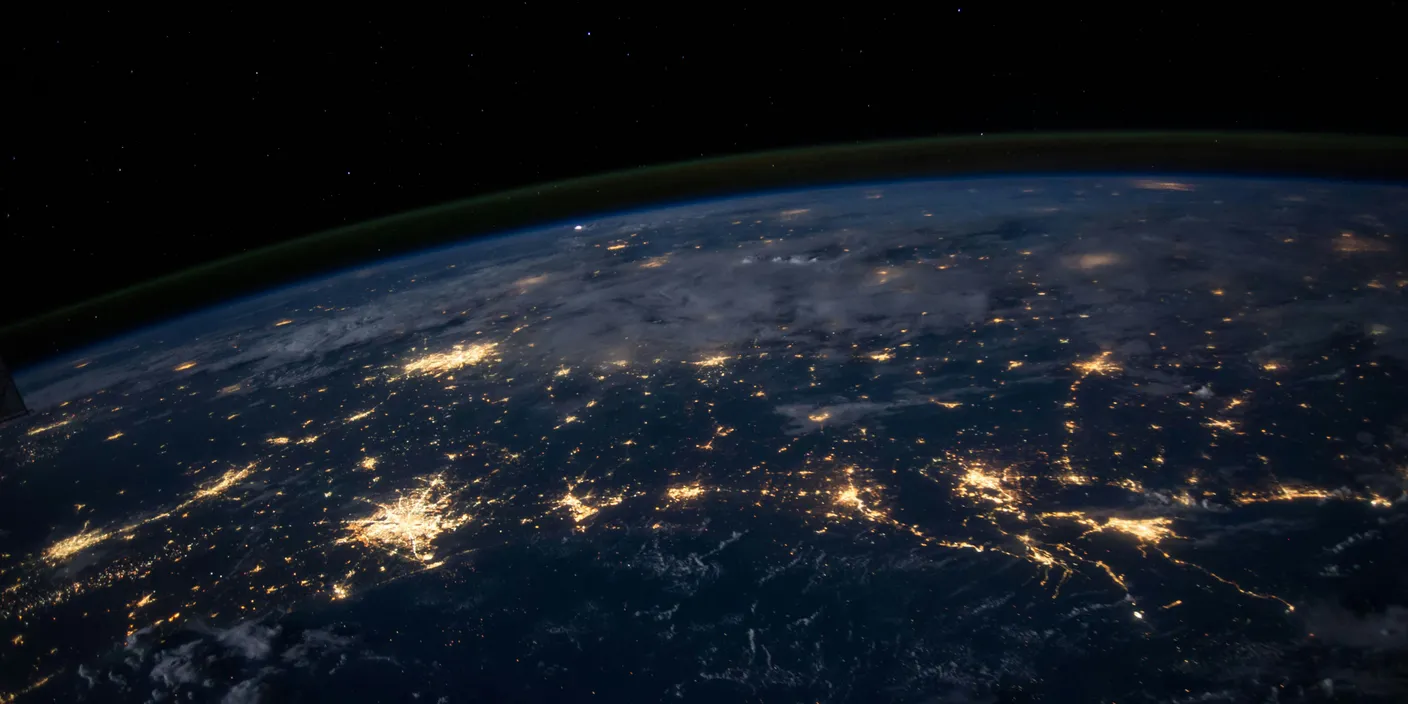
I’m excited to share something I have been working on: a GeoJSON renderer in three.js.
In a nutshell, we’ll be taking in GeoJSON data, creating the necessary three.js geometries and projecting them onto a model globe. If you are from the GIS space, it’s akin to building my own lite version of MapLibre or Mapbox. Why go through all the trouble, you ask? Isn’t this a problem that’s already solved? And you’re right, it is solved, but I’d also like to solve it myself.
In this intro blog post I’ll walk through how the renderer takes in a longitude and latitude (Geographic Coordinate System) and transforms it into 3D Cartesian coordinates (x, y and z). A bit of trigonometry is involved, but it’s actually quite intuitive.
Earth Shape
The earth’s shape is complex and is often referred to as a geoid. You can think of a geoid as an irregular blob with dips and bulges all around.
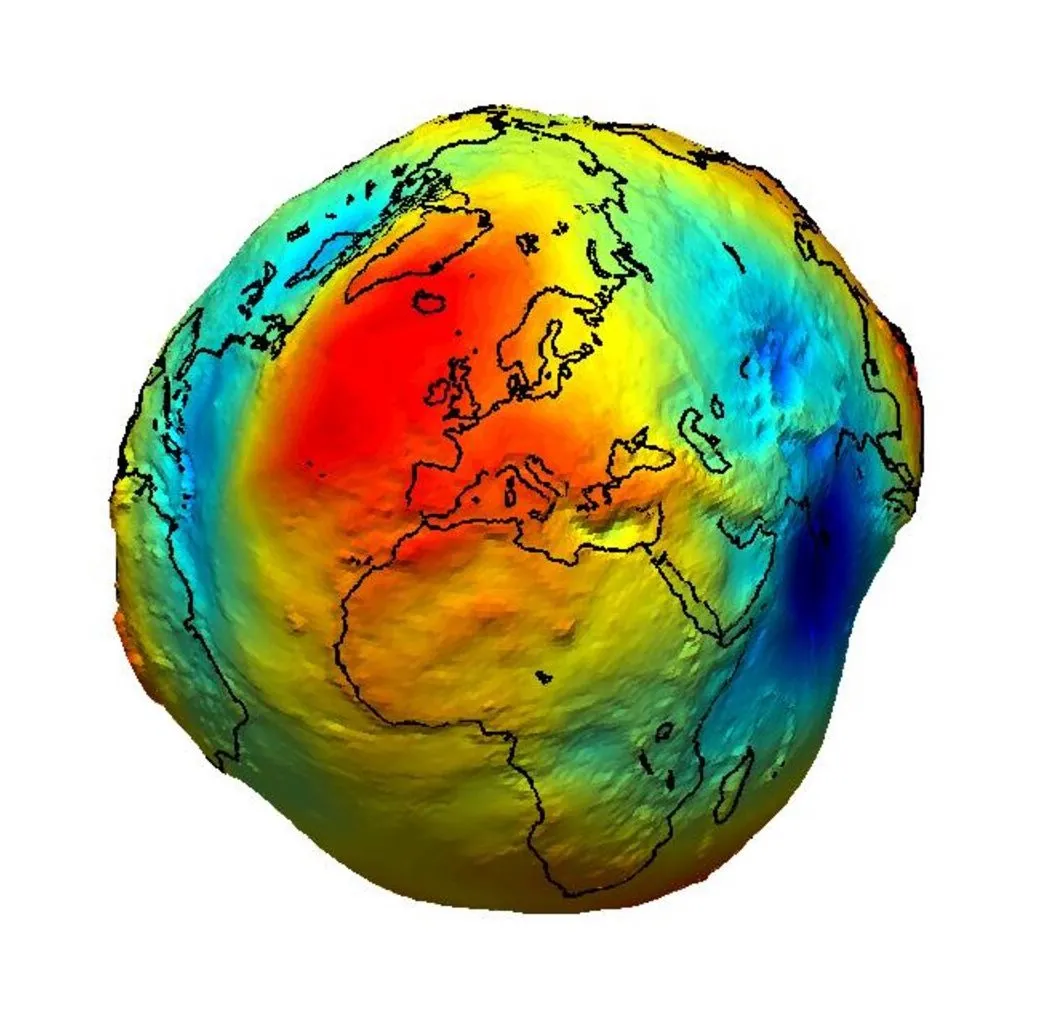
For ease of mathematical modelling, mapping applications (MapLibre, Mapbox, etc.) use an ellipsoid. This ellipsoid gives us a rough approximation of the earth’s dimensions. The earth’s ellipsoid is a squashed sphere that bulges at the equator and is slightly flattened at the poles.
Unlike most mapping applications, in this series we will assume the world is a perfect sphere.
Thinking in 3D
Normally we’d think of latitude and longitude as being on a flat 2D surface, but we can actually represent them on a sphere.
Representing them on a sphere will enable us to extract the x, y and z values from the longitude and latitude.
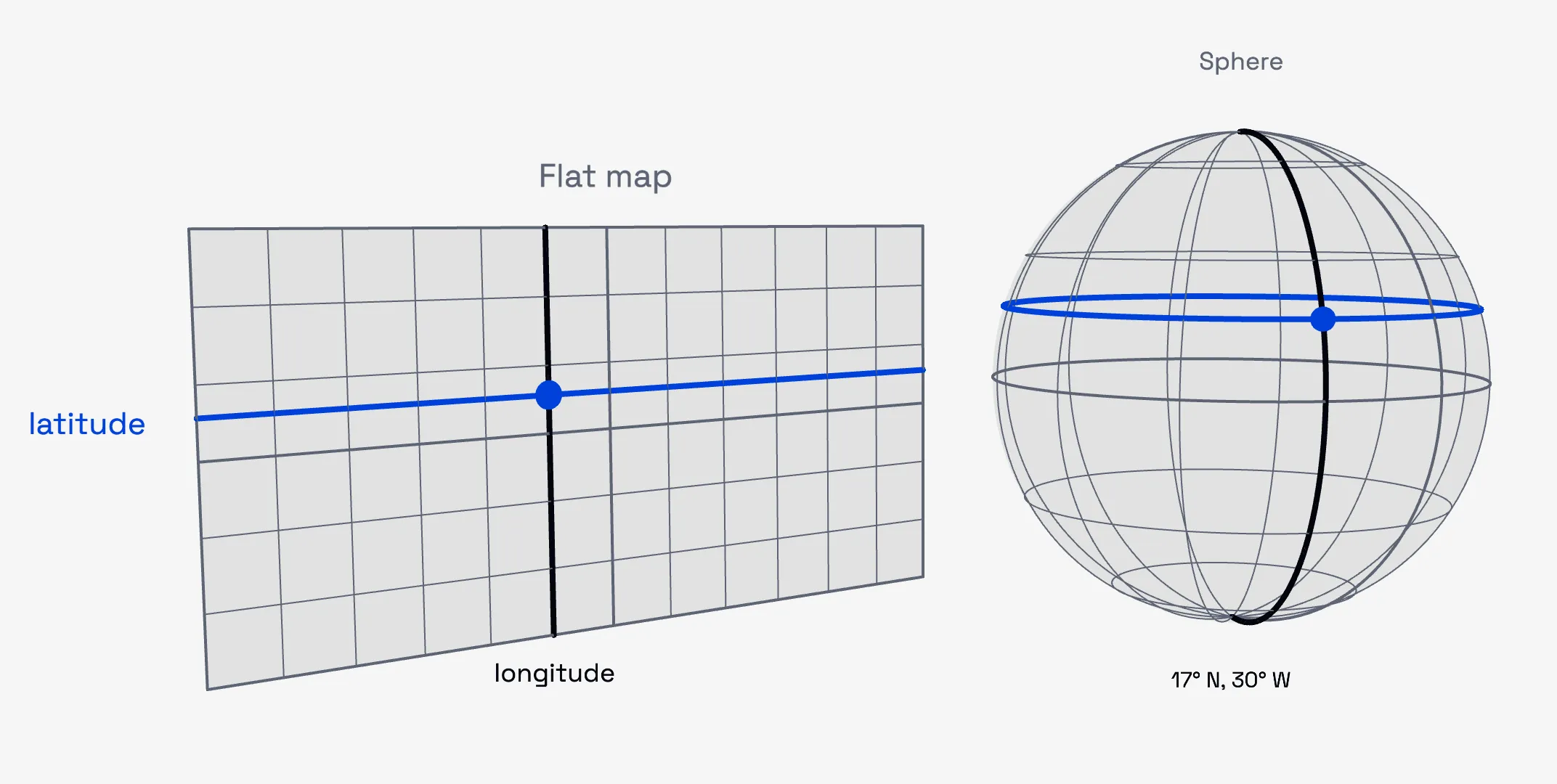
Extracting x, y, z of a GeoJSON point
Step 1. Extract the y and radius of the circle of latitude
Using the latitude, we are able to extract 2 key numbers:
- y
- Radius of the circle of latitude
Circles of latitude are the lines running from east to west at a given latitude. At the equator, the circle of latitude has the greatest radius (equal to the radius of the earth), and as you move further from the equator, the radius of the circles of latitude decreases.
Extracting the radius of the circle of latitude is crucial as it is used later when we are calculating the x and z coordinates.
Now, to extract the y and radius we are simply going to use cos and sin as well as the angle of latitude as shown below. You can think of
the view below as seeing the sphere from the side.
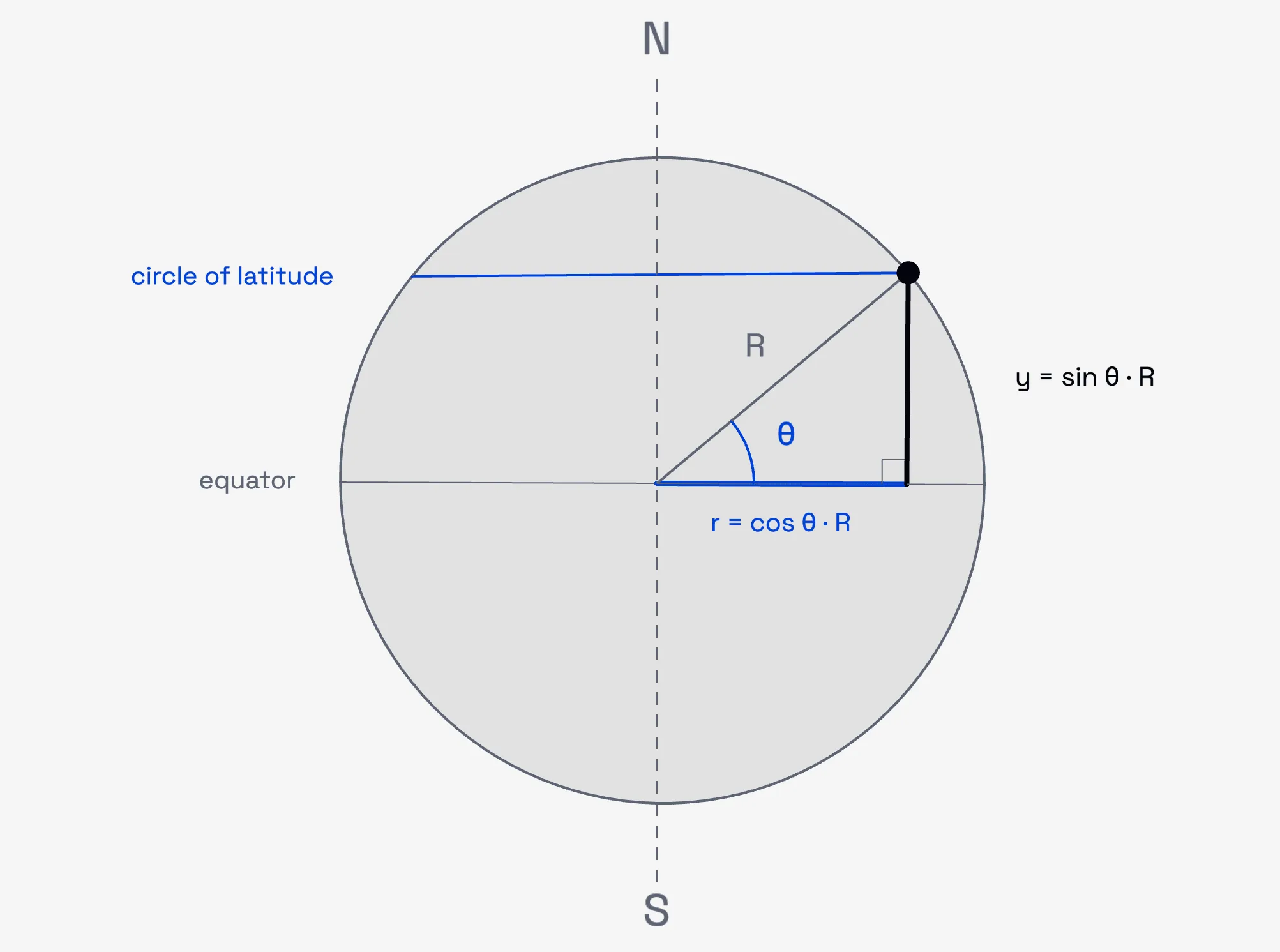
As shown above, we draw a triangle from the centre of the sphere to the circle of latitude and then back down to the equator. This triangle is then used as the basis of the trigonometry calculations.
y = sin(θ) * R
r = cos(θ) * R
where θ is the angle of latitude, R is the radius of the sphere and r is the radius of the circle of latitude.
Step 2. Extracting the x and z coordinates
The x and z coordinates are extracted from the circle of latitude using the angle of longitude.
To extract the x and z values, we take a top-down view of the sphere as shown below, with the inner circle being the circle of latitude and the outer circle being the sphere.
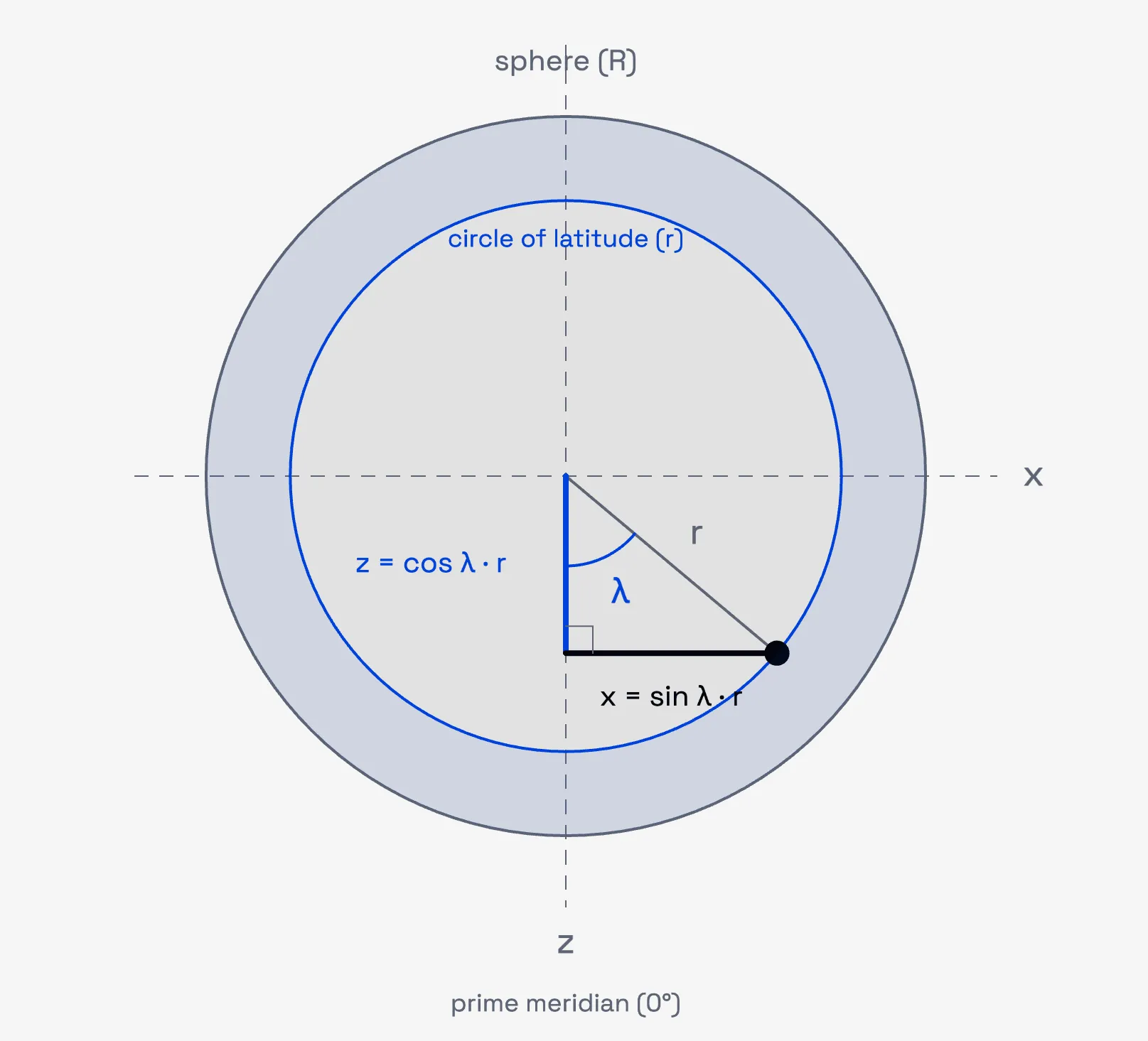
From the diagram above, we form a triangle from the centre of the sphere to where the angle of longitude intersects the circle of latitude, then back down to the prime meridian (i.e. 0°). After that it’s simply applying trigonometry to get the x and z values.
x = sin(λ) * r
z = cos(λ) * r
where λ is the angle of longitude and r is the radius of the circle of latitude from step 1.
Putting it together
Below is an interactive version of both steps. Move the latitude θ to see the circle of latitude slide up and down
the sphere and shrink towards the poles, then move the longitude λ to walk the point around that circle. Use side view
and top view to line the scene up with the diagrams above.
Outro
Now that we have an understanding of how the geographic coordinate system is transformed into 3D Cartesian coordinates, next we will look at how each GeoJSON feature will be drawn.